Saturday, 29 September 2012

IPad Technologies


http://tinyurl.com/buzp3nf

As the Ipad 3 has a retina display I could potentially make my IBook 2048x1536 at 264 ppi, using this size may/will potentially look a lot better on the retina ipad, however users using an Ipad 2/mini will have to download a larger file which will show no increase in quality. The size difference would almost be 4x the size as a non retina version (1024x768 132 dpi). This size increase is quite extortionate and as it will only benefit retina display users I am still wondering if i should go with the smaller (non retina) size as it will mean the IBook has a smaller file size and images with load quicker on all devices.

Using a test image I will see how file size, screen resolution image quality displays on the ipad 2&3.
Left non retina (756kb) / Right retina (2150.4kb)
By enlarging the image we can already see the difference in quality between the two.

Non retina 
Retina
The file size of the retina version is 2.7x more.

I have placed each image into the Ibook then exported it to IBook's format.

We has the non retina image come in at (756kb (0.7mb)) and the retina image some in at (2150.4kb (2.1mb)) 2.7x increase.

If we look at both the exported book's the file size it very similar, I did not think that they would increase/decrease so much. The non retina version increase size where as the retina version decreased, this is telling me that there is a degree of compression during exporting to ibooks.

Out of interest I created a book with both images, File size was 1.8mb
Out of interest I created a book with a blank page, File size was 928kb
non retina image + blank ibook = 1684kb 
(1.6mb) actual size: 1.2mb
retina image + blank ibook = 3078.4kb (3mb) actual size: 1.5mb
both images + blank book = 3834.4 (3.7mb) Actual size: 1.8mb

In conclusion both images have been compressed but the larger image has been compressed a lot more. I cant really see any correlation between the files apart from a 300kb increase.
For this experiment i think that the images have been compressed to 300kb (non retina) and as the retina image is larger it comes in at 600kb (2x larger)

When exported to my ipad 2 there is a very slight increase in the time it takes to load up the retina image compared to the non retina image. However without actually looking for the delay you would not realise.
Exported Ibook:

Looking at the images simultaneous on both the Ipad 2 and Ipad 3.

I tested out this flower image on both the ipad 2 and 3. Looking at them side by side I could really tell that the IPad 3 had a much better screen: The contrast of the images was a lot more vibrant. However looking at the actual quality, I and others could not see a great deal of difference between the actual pixel quality of the images.

Therefore I have come to the decision to make my IBook PSD's at 1024x768 at 132 dpi, which is the ipad 2 resolution.

Ipad 2

Ipad3


Custom widgets.

I have looked up some custom widget apps that can be used within the ibook author app. IBooks will only accept html 5 widgets so no flash etc. I have found a website called Bookery which creates custom widgets outside of those used within the ibooks author app.


The site has a lot of useful and customisable widgets such as a youtube widget a time line widget and a 360° panorama widget. I also like the idea of an in built browser widget within the ibook. This means that the user would not be taken away from your Ibook if you wanted to link to an external page.

Another app is called hype. Hype is similar to flash although less advanced but uses HTML 5 animations instead meaning that it is fully useable within the IBook. With this app I could create a timeline feature, small interactive games/widgets.

http://tumult.com/hype/gallery/


IBooks Author

Layout

Front cover - 768 x 1024px - Can remove all existing content from front cover

Opening video/image - Auto plays on opening the Ibook - M4v 

Table of contents - Has all pages preset to the bottom of the page as navigation - Can remove everything except bottom page navigation.

Glossary 
Page structure - Chapters with sections in them


Widgets


Video has an option to play full screen only

You can remove all titles, captions and backgrounds - If the title is removed linking to the object/widget  does not work.
Gallery with/without thumbnails 
M4v video - Can play within the IBook or full screen only

Large selection of quiz type widgets - Multiple choice,
image choice etc.

3D models can be moved by the user .dae files 
Large images can be placed with tags which zoom into the image and which the user can navigate around. 
Images with captions when clicked - Can contain images - IBooks v2
Scrolling text - Can contain images - IBooks v2
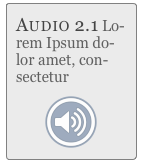
Audio files - Button

Audio files - scrubber bar

Audio files - Click on image 


Limitations
No auto play
No page turns

After having a play around with IBooks author I have found that there are quite a few limitations, mostly because this is a new software. Due to this I will need to find ways in which to overcome these limitations. One main one is that PNG's with transparency cannot be used to frame widgets. Which was one of the things that i wanted to do.

Framed with transparent PNG 

When on ipad the widget comes to the front


Thursday, 27 September 2012

Time schedule


Assignment set on Monday 24th September 2012

Pitch of design ideas:  Monday 22nd October 
Crit:  Wednesday 5th December 
Final submission:  Wednesday 12th December 

Time schedule:


This is the final schedule that I have updated with dates in which I have/have not done each step by.
Red means that I did not get that specific task done by the date I had set.

Existing IBook research


On the IBook store I tried to find the most media rich books rather than just text book styled books.

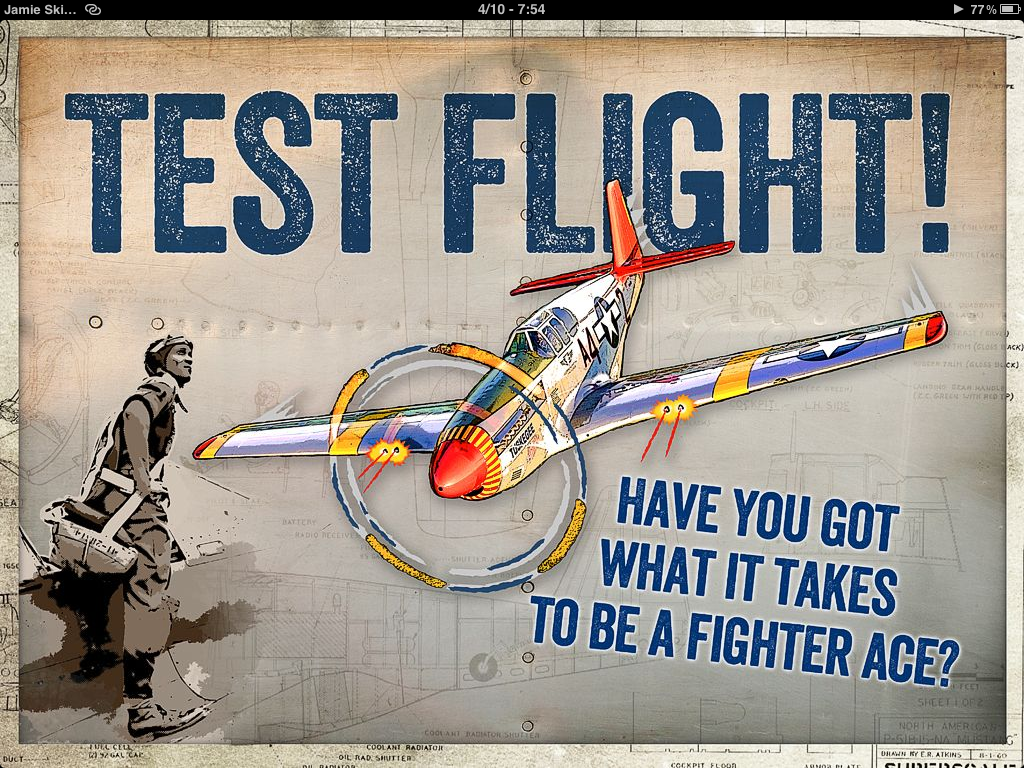
The Aircraft of the Tuskegee Airmen
Warbirds of World War 2


The way that this gallery works is quite ingenious, the gallery looks as if it is part of the book, it also uses inanimate objects to build up he depth and make the design more interesting. All that is interactive on this page is the gallery but with all the added items and textures the page looks to have more content that it actually does which also makes it more interesting.
The book is designed in a skeuomorphism way, "creating designs and graphical elements that mimic recognisable objects". http://tinyurl.com/cubnb42
This technique is used a lot in apple apps as well, I think that it creates a very real feeling to the book, it's more textured and interesting and has a sense of depth too it.

You can see how they have designed the apps graphical style using real textures like leather, paper and stitching which feels like you are using an actual not pad. This style is replicated in a lot of apple apps like the calendar.

Again they have filled the page with a single widget by adding a textured background and items like photos, rubbers and pencils. These items also fit in with the widget on the page as it is like a test.
One point that i would like to make about this ibook is the use of instructional images, contents and words,  on some pages you may not know what to do but with the use of these instructions it is made clear. Mostly these are targeted at people who are new to the this IBook concept with interactive parts; If they did not have instructions the user has a potential to miss things.

I really like the double page spread images that are shown as chapter headers, these also can be spread across as many pages, this would be good for a timeline feature; you could have each event as a page witch in it's entirety spreads across many pages.
Each main page (information pages) have either a border that frames the page or a plain wood background,  with the wood backgrounds the scene flows from one page to another, there is no join line between the pages as the background is continuos between between the pages.


I really like the schematic type drawings that are used to accompany the images, It makes the overall image more interesting.


Although the ibook does not have a into video it does have a intro page with audio.

Points to note:
Continuos images on background.
Skeuomorphism themed design.
Full screen gallery pages.
Small finishing touches (objects).


Beatles 
Yellow Submarine


This book is the Beatles yellow submarine book, After some research I have found that this is a fixed ebook (epub) publication, a fixed epub is better for more media rich and animated content like children's books as each page can have a specific layout where flexible epub has a continuously flowing format, this means that any text that is enlarged will flow though the entire documents. 

I really like the interactivity of this Ibook, There are objects that move by them selves as well as individual elements that you can drag around which also make sounds. Although I will not be able to reproduce this entirely it is a good insight to the interactivity that you can have in an IBook.


This IBook uses color really well, there is a specific colour pallet that works really well together and is continus throughout the IBook.


This page has the butterflies animated, you can also drag them around.
I mostly looked at this book for interactivity rather than design, I really like how the small touches like the butterflies are not only animated but you can also drag them around. There are quite a few quirky animations which make the page more enjoyable and more interactive. I like all these little touches and want to carry some of these ideas across.

Points to note:
Colourful Ibook style.
Small interactive elements.


E.O. Wilson's
Life on Earth

This is a book that has a lot of interactivity embedded within it. It has some really nice custom made widgets for added interactivity.

The image on the right is a 3D object that spins on its own, you can also drag it around to see it from all sides. The widget left i believe is a custom widget made for the ibook rather than a pre-set.

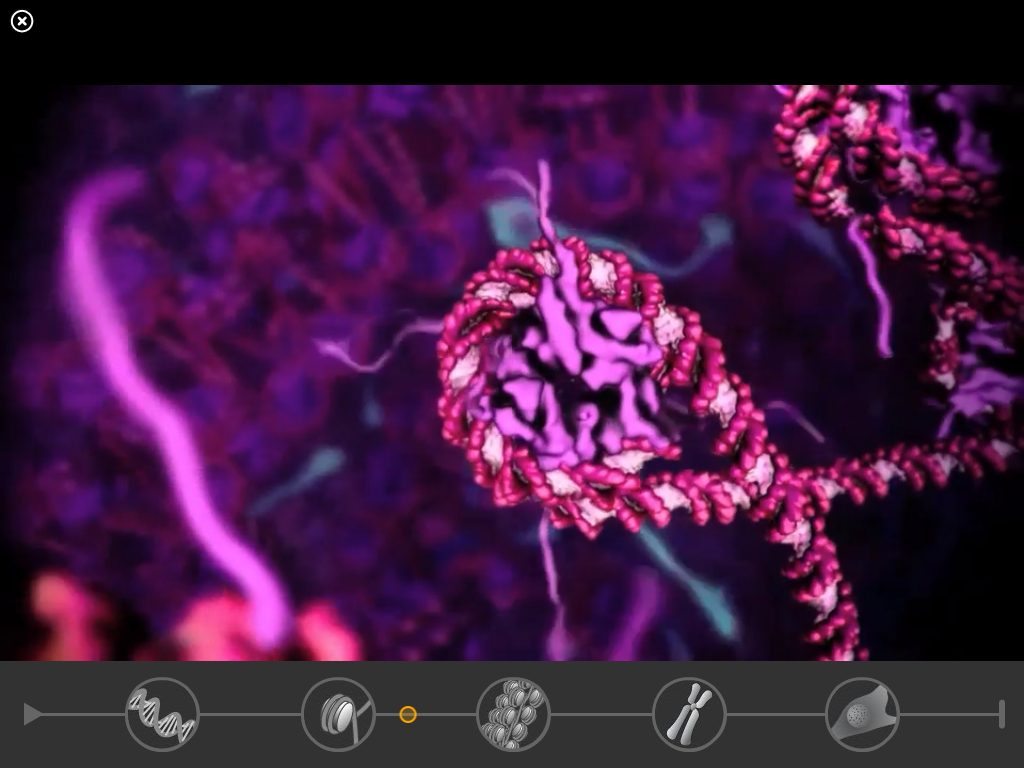
It has a timeline like navigation feature, when each circle is clicked it plays a video showing you what happens  as you go closer in/over a period of time. I really like this feature, it's clear and easy to use and I very quickly I knew what was going on and how to use the widget.


On some videos instead of having them representative of their actual size within the Ibook they have a different cover image that really works well with the design.

Another custom widget is this one, when you click on the parts of the ant the top images change .


All the photos can be enlarged full screen and also come with a caption. 
The book has this image of a work surface and when you either click the arrows or  on the actual captions you zoom into the page.

Each caption takes you to a different part of the picture, I really like this type of widget, it adds a lot of interactivity to the ibook, it would be good for a map as you could zoom  into a lot of different places.
Point to note:
Custom widgets
High interactivity

Overall, these ibooks have given me a lot of inspiration to what possible and what works well, I really like the idea of a skeuomorphism themed design. I think that real textures like leathers and papers would work really well for a lot of designs. High interactivity is something I want to include, these parts are where the user is going to spend a lot of time as it is more engaging than just having text and images nested directly on the page.

Wednesday, 26 September 2012

IBook


In this assignment you are going to produce a piece of interactive documentary narrative which utilises a wide range of media, delivered as an ebook for the iPad.  Researching content and sourcing the assets for documentary can be an extremely time consuming process, so this project will keep the content and themes of your story close to home, drawing initially from material that exist for you (family stories and archives of images) and then extend this with new assets (interviews, graphics, animations).   
Your aim is to bring an aspect of your family history or a family story to life with mixed media.  This family theme can be interpreted in a wide range of ways; think quirky stories or remarkable family members, relatives who took part in historic events or have lived interesting lives.  It can be historic and/or contemporary, can focus on one particular family member or spread of personalities, can tell a story in depth or cover range of events, can focus on a period of history or range over time.  Alternatively, you could explore the place you’re from, which might mean the house, street, or town. Part of the challenge of this brief is to find an interesting an engaging angle.   
You will source or generate text, images, sound, moving image and animation. The ebook must contain at least the following:-
  • An animated introduction
  • Text and images
  • At least one audio interview with a family member, edited to tell the story in 1 minute or less
  • Animated visual elements to accompany the interviews 
You will use After Effects to create the animations and iBooks Author to create the interactive ebook for iPad.  
You will follow a project planning and design process which will be reflected in your blog and sketchbook.  This will include at least the following:- 
  • Plan your time with a production schedule 
  • Find and analyse examples of interactive documentary narrative
  • Find and analyse examples of ebooks which use media content
  • Find and analyse examples of animation used in a documentary context
  • Visual research which contributes to devising the look and feel
  • Design the graphical style, interactivity and animation
  • Undertake design and technology research into developing content for the iPad

You will pitch your content and design solutions to this project to the group for discussion in the form of a prepared presentation. This must contain mock-ups, navigation plans, storyboards and animatics and/or sequences which experiment with your animation style.  
You will produce your ebook and apply user testing techniques to explore it’s characteristics as a piece of interactivity.  You will detail your user testing in your blog.  
You will prepare a finished ebook to crit with the group and your tutors

This assignment requires the following:-
  • Attendance at pitches and crit presentations is compulsory. 
  • Sketchbooks must be available for discussion with your tutors in every lesson, and must be updated at least weekly throughout the project
  • Blogs must be updated at least weekly throughout the project
  • The pitch must be in the form of a presentation, prepared in advance of pitch session
  • Production will be complete by the crit, so a full product is shown in the crit session, though changes and improvements can be made between crit and deadline

Deadlines and Key Dates
The assignment is being set on Monday 24th September 2012
On Monday 22nd October from 12.30 you will pitch your proposal for your family ebook project for discussion and evaluation.  This pitch must include a review of your research, sketchbook and blog work for idea development and a proposal.  Content, visual design, animation design and plans for interactivity must all be covered. This must be a properly prepared presentation, using Keynote, Powerpoint or another presentation tool, and must be submitted on Remus at the start of this session.